Sanjeet Chauhan
 Cheap WordPress hosting can look like a great deal at first, but slow loading times, downtime, or unhelpful support can quickly change that. What matters is how well the hosting actually works once your website is live.
To make that easier for you, I put five providers through WordPress testing and compared their uptime, PageSpeed scores, TTFB, loading speed, features, support, and pricing.
This guide brings those results together, so you can compare what each provider offers, see how they performed, and decide which hosting is worth choosing for your website.
Table of Contents
Comparison Table
Not every WordPress website needs the same type of hosting. If you’re starting on a tight budget, you may prefer a low cost plan with enough storage and useful features. Other options focus more on managed tools, easier setup, stronger resources, or hands off website management.
| Hosting Provider | Starting Price | Best For | Key Highlight |
| YouStable | $0.62/month | Budget and growing websites | 50 GB NVMe SSD, unmetered bandwidth, backups, security, and LiteSpeed |
| Hostinger | $2.99/month | Growing websites | Managed tools, backups, and scalable resources |
| Bluehost | $3.99/month | Beginners and businesses | Easy setup and ecommerce features |
| ScalaHosting | $2.95/month | Growing websites | NVMe storage and flexible upgrade options |
| Liquid Web | $9/month | Managed WordPress websites | Managed updates, backups, staging, and security |
When you look at the plans side by side, the differences become clearer. YouStable offers more storage and resources at a very low starting price, while Hostinger and Bluehost focus on an easier WordPress experience. ScalaHosting gives you more flexibility to upgrade as your website grows, and Liquid Web is suited to those who want a more managed setup.
How I Tested the Best WordPress Hosting Providers
I tested these WordPress hosting providers by focusing on the things that matter once a website is actually running. Instead of looking only at advertised features, I compared pricing, resources, performance, and the overall WordPress experience.
| What I Tested | What I Checked | Why It Matters | What It Helps You Understand |
| Pricing | Starting and renewal costs | Shows the real long term value | Which plan fits your budget |
| Resources | Storage, bandwidth, and website limits | Determines how much your plan can handle | Whether the plan suits your needs |
| Performance | NVMe storage, LiteSpeed, caching, and optimization | Affects website speed and responsiveness | How well the hosting performs |
| Features & Support | Backups, security, WordPress tools, and support | Helps with management and website protection | What you get beyond basic hosting |
This comparison made it easier to see where each provider stands. Some offer better value at a lower price, while others focus more on managed tools, stronger resources, or easier website management.
Top 5 Best WordPress Hosting Providers in 2026
After comparing pricing, features, resources, performance, security, and management tools, these five WordPress hosting providers stand out for different types of websites and budgets.
1. YouStable – Best Value + Free Domain + 80% OFF
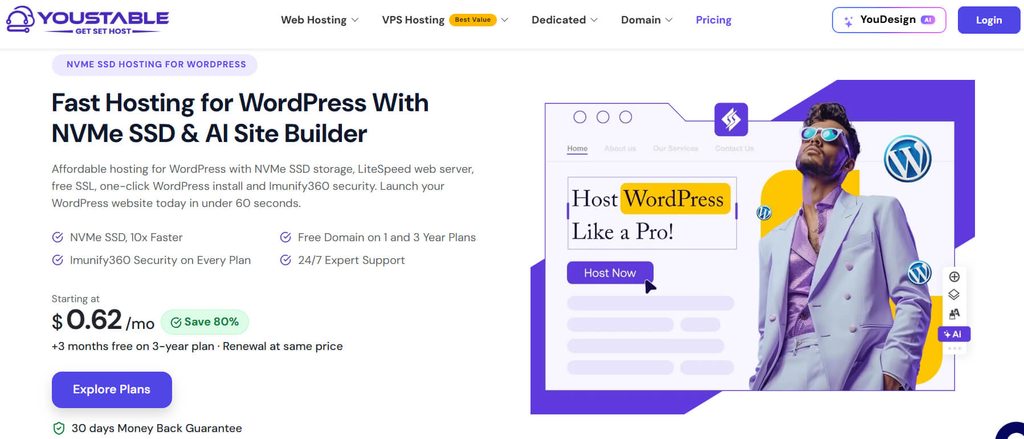
YouStable is the most budget friendly option in this comparison, with WordPress hosting starting at $0.62/month. Its entry level plan includes 50 GB NVMe SSD storage, unmetered bandwidth, free SSL, caching tools, backup restore, and Imunify360 Protection.
As your website grows, you can move from one website to plans supporting up to 25 or unlimited websites, with 100 GB or 200 GB NVMe SSD storage. Eligible higher plans also include a free domain, while three year plans offer three months free.
For a new website, this combination gives you plenty of room to start without paying much upfront. If you want low pricing but still care about storage, performance tools, and future growth, YouStable offers strong value.
Key Features of YouStable
YouStable combines fast NVMe storage, practical WordPress tools, security, backups, flexible scaling, and dependable support for websites.
- NVMe SSD Storage: NVMe SSD storage helps WordPress pages load faster while providing responsive performance for everyday website workloads.
- LiteSpeed Web Server: LiteSpeed caching improves website speed by handling dynamic WordPress requests efficiently and reducing unnecessary server processing.
- Imunify360 Security: Imunify360 security protects your hosting environment through proactive malware defense, monitoring, and automated threat detection.
- Free Daily Backups: Daily backups provide recoverable copies of your website, helping restore important data after unexpected problems.
- Free Domain on Eligible Plans: Free domain availability on eligible longer-term plans helps simplify launching a new WordPress website.
Plans & Pricing
YouStable offers three WordPress hosting plans, starting at $0.62/month, with higher plans adding more websites, NVMe SSD storage, and features such as a free domain on Professional and Elite plans.
- DaStart, $0.62/month: 1 website, 50 GB NVMe SSD, unmetered bandwidth, free SSL, one click backup restore, AI optimized caching, AccelerateWP + LSCache, and Imunify360 Protection. 3 months free on the 3 year plan.
- DaProfessional, $1.25/month: Up to 25 websites, 100 GB NVMe SSD, unmetered bandwidth, free domain, one click backup restore, AccelerateWP + LSCache, Imunify360 Protection, and SSH access. 3 months free on the 3 year plan.
- DaElite, $2.31/month: Unlimited websites, 200 GB NVMe SSD, unmetered bandwidth, free domain, one click backup restore, AccelerateWP + LSCache, Imunify360 Protection, and SSH access. 3 months free on the 3 year plan.
Why Choose YouStable WordPress Hosting?
If you want to keep your WordPress hosting costs low without giving up essential speed and security features, YouStable offers a practical starting point with room to grow.
- Affordable Starting Price: Start your WordPress website at just $0.62 per month.
- Strong Long Term Offers: Get up to 80% off and three months free on eligible plans.
- Free Domain Option: Choose an eligible one or three year plan to receive a free domain.
- Same Price Renewal: Avoid a major renewal jump with pricing that remains consistent.
- Built for Growth: Upgrade from one website to larger plans as your needs increase.
2. Hostinger – Easy Management + AI Tools + Daily Backups
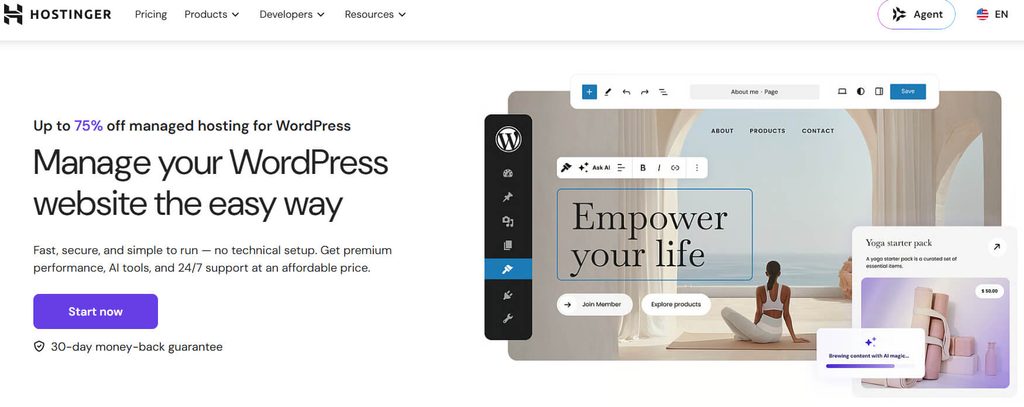
Hostinger is aimed at users who want a more streamlined WordPress experience with managed tools, backups, AI features, and resources that can scale as their websites grow.
Its plans in this comparison start at $2.99/month, with higher tiers adding more storage, daily backups, additional website capacity, and stronger cloud resources. A free domain for the first year is also included on eligible plans.
It is a practical choice if you prefer having website management, performance features, and useful tools available in one hosting environment rather than handling everything manually.
Key Features of Hostinger
Hostinger combines managed WordPress tools, performance optimization, backups, AI assistance, security, and scalable resources for growing websites.
- Managed WordPress Tools: Managed WordPress includes automatic updates, staging, security, and performance tools that reduce routine administration.
- Daily Backups: Daily backups create regular recovery points, giving you protection when updates, errors, or changes cause problems.
- AI Website Tools: AI website tools help generate content and assist with building pages for faster website creation.
- Cloud Startup Resources: Cloud Startup provides dedicated resources and higher performance for websites experiencing heavier traffic and demanding workloads.
- Multiple Website Hosting: Multiple website allowances let you manage personal projects, business sites, or client websites under one hosting plan.
Plans & Pricing
Hostinger offers three hosting plans, starting at $2.99/month, with promotional discounts, a free domain for one year, backups, AI tools, ecommerce features, and increasing storage and resources.
- Premium, $2.99/month, 75% off: Includes 3 websites, 20 GB SSD storage, a free domain for one year, weekly backups, CDN, integrated ecommerce, AI tools, and priority 24/7 expert support. The 48 month offer costs $143.52 and renews at $10.99/month.
- Unlimited, $3.99/month, 79% off: Includes unlimited websites, 50 GB NVMe storage, a free domain for one year, daily backups, easy data restore, CDN, ecommerce, AI tools, and priority support. The 48 month offer costs $191.52 and renews at $16.99/month.
- Cloud Startup, $7.99/month, 71% off: Includes unlimited websites, 100 GB NVMe storage, a free domain for one year, daily and on demand backups, CDN, ecommerce tools, AI tools, and priority support. The 48 month offer costs $383.52 and renews at $25.99/month.
Why Choose Hostinger WordPress Hosting?
Hostinger is a good fit if you want an easy to manage WordPress hosting experience with useful automation, website tools, and stronger resources as traffic grows.
- Easy WordPress Management: Manage updates, security, staging, and other routine tasks from one place.
- Daily Backup Protection: Regular backups give you a recovery point when something goes wrong.
- Helpful AI Tools: Use AI powered tools to speed up website creation and content work.
- Multiple Website Support: Manage several personal, business, or client websites under one hosting plan.
- Scalable Cloud Resources: Move to Cloud Startup when your website needs stronger resources.
3. BlueHost – Beginner Friendly + AI Builder + eCommerce
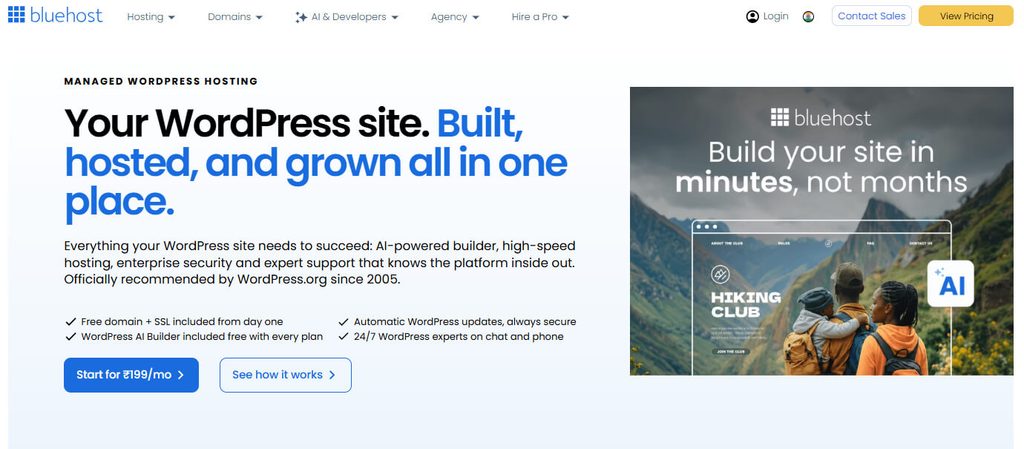
Bluehost focuses on making WordPress easier for beginners and businesses that want a straightforward setup. Its plans combine WordPress management, AI website tools, automated updates, security, and ecommerce options.
Starting at $3.99/month in this comparison, Bluehost supports different website sizes through plans with increasing storage, website limits, and visitor capacity. Higher tiers also add backups, domain privacy, support, and WooCommerce focused tools.
If you are building your first business website or expect to add ecommerce features later, Bluehost provides a relatively simple path from setup to website management.
Key Features of BlueHost
Bluehost brings WordPress tools, automated updates, AI assistance, security, staging, and ecommerce capabilities together for easier website management.
- Managed WordPress Tools: Managed WordPress tools simplify installation, updates, administration, and everyday maintenance for new website owners.
- AI Website Builder: AI website builder helps you create pages faster by generating layouts and content from simple prompts.
- Automated WordPress Updates: Automated WordPress updates keep core software and selected components current without requiring constant manual maintenance.
- Enterprise Grade Security: Enterprise grade security provides stronger protection through monitoring and security focused infrastructure for important business websites.
- WooCommerce Features: eCommerce features add WooCommerce focused tools and capabilities designed specifically for building and managing online stores.
Plans & Pricing
Bluehost offers three WordPress hosting plans, starting at $3.99/month with up to 60% savings on a 36 month term. Each plan includes a free domain for the first year, CDN, SSL, managed updates, and a 30 day money back guarantee.
- Starter, $3.99/month: Save 60%, 10 websites, 10 GB NVMe SSD storage, ideal for up to 40K visits monthly, plus a free domain for the first year. Renews at $9.99/month.
- Business, $6.99/month: Save 50%, 50 websites, 50 GB NVMe SSD storage, ideal for up to 200K visits monthly, with weekly backups, domain privacy for the first year, and phone support. Renews at $13.99/month.
- eCommerce Essentials, $14.99/month: Save 32%, 100 websites, 100 GB NVMe SSD storage, ideal for up to 400K visits monthly, plus WooCommerce tools for payments, subscriptions, memberships, courses, and affiliate programs. Renews at $21.99/month.
Why Choose BlueHost WordPress Hosting?
Bluehost is worth considering if you want a straightforward WordPress setup with guided tools, automated maintenance, and ecommerce features available as your website expands.
- Simple Website Setup: Get your WordPress website running without dealing with complicated server management.
- AI Powered Website Building: Create pages and layouts faster with built in AI website tools.
- Automated Updates: Reduce manual maintenance by keeping WordPress software automatically updated.
- Business Security Features: Get security focused protection for websites handling important business activity.
- Ecommerce Ready Options: Choose WooCommerce focused features when you are ready to sell online.
4. ScalaHosting – Flexible Hosting + NVMe + Cloud Upgrades
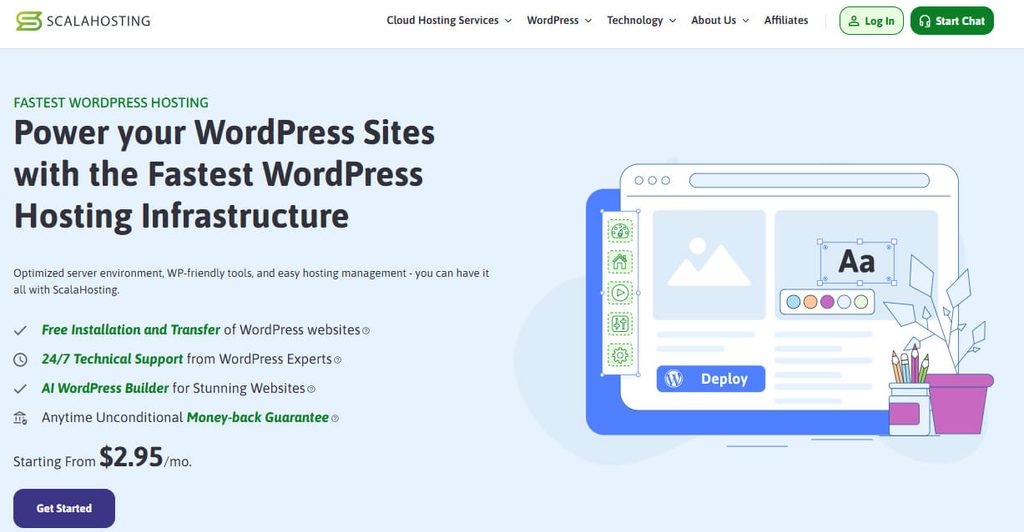
ScalaHosting is a flexible option for users who want to start with standard WordPress hosting and move toward more powerful cloud resources as their requirements increase.
Plans start at $2.95/month in this comparison and include NVMe SSD storage, WordPress tools, security features, automatic backups, and professional support. The Entry Cloud option adds dedicated CPU and RAM resources for more demanding workloads.
This makes ScalaHosting worth considering when you do not want to commit to expensive infrastructure immediately but want a clearer upgrade path as traffic and resource requirements increase.
Key Features of ScalaHosting
- Turbo Fast NVMe SSD Storage: NVMe SSD storage helps improve data access and keeps WordPress websites responsive.
- AI WordPress Builder: AI powered tools, templates, and website building features help you create a WordPress site more easily.
- Free Professional Migration: ScalaHosting specialists can transfer your existing WordPress website, files, databases, and add-ons.
- Automatic Backups: Automatic offsite backups help protect your website data and provide restore options when needed.
- Advanced Security and Support: Selected plans include security tools, automatic updates, protection features, and 24/7 WordPress expert support.
Plans & Pricing
ScalaHosting offers four WordPress hosting plans, starting at $2.95/month. The shared plans are suitable for smaller websites, while Entry Cloud adds dedicated resources for websites that need stronger performance.
- Mini, $2.95/month: Save 75% on the introductory offer. Includes 1 WordPress website, 10 GB fixed NVMe SSD storage, shared CPU and RAM, and standard security. Renews at $11.95/month.
- Start, $5.95/month: Save 60% on the introductory offer. Includes unlimited WordPress websites, 50 GB fixed NVMe SSD storage, shared CPU and RAM, and standard security. Renews at $14.95/month.
- Advanced, $9.95/month: Save 50% on the introductory offer. Includes unlimited WordPress websites, 100 GB fixed NVMe SSD storage, shared CPU and RAM, and standard security. Renews at $19.95/month.
- Entry Cloud, $14.95/month: Save 63% on the introductory offer. Includes unlimited WordPress websites, 2 CPU cores, 2 GB RAM, 50 GB NVMe SSD storage, advanced security, and SPanel. Renews at $39.95/month.
Why Choose ScalaHosting WordPress Hosting?
ScalaHosting is a good option if you want to start with affordable WordPress hosting and have the flexibility to upgrade as your website grows.
- Affordable Starting Price: Start your WordPress website from just $2.95/month.
- Free Professional Migration: Move your existing WordPress website with help from ScalaHosting specialists.
- AI Website Building: Use AI powered tools and templates to build your website more easily.
- Flexible Performance Options: Start with shared hosting or choose cloud resources for more demanding websites.
- 24/7 Expert Support: Get round the clock technical support for WordPress hosting questions and issues.
5. LiquidWeb – Fully Managed + Daily Backups + Staging
Liquid Web takes a different approach from the lower priced providers by focusing on managed WordPress hosting. It is designed for website owners who want less involvement in routine maintenance and server related tasks.
Plans start at $9/month in this comparison and include automatic WordPress updates, daily backups, staging environments, migration options, and visual comparison tools. Higher plans extend backup retention and add advanced migration and security features.
If managing updates, testing changes, backups, and migrations yourself is not something you want to spend time on, Liquid Web is the strongest managed option among these five providers.
Key Features of LiquidWeb
Liquid Web focuses on premium managed WordPress performance, security, reliable uptime, automatic updates, backups, and expert migration services.
- Sub Second Core Performance: Sub second core web performance is designed to improve responsiveness and support faster WordPress page delivery.
- Managed Updates: Managed core and security updates keep WordPress maintained automatically, reducing routine administrative work for website owners.
- Automatic Migrations: Automatic migrations simplify moving WordPress websites and databases with less manual configuration during transfers.
- Flexible Daily Backups: Daily backups provide seven, fourteen, or thirty days of retention depending on your selected plan.
- Staging and Visual Comparison: Staging and visual comparison tools let you test website changes before publishing them live.
Plans & Pricing
Liquid Web offers three managed WordPress plans, starting at $9/month. Each plan supports one site with 50K monthly visitors, 15 GB storage, and 2 TB bandwidth, while higher tiers add longer backup retention and advanced migration features.
- Essentials WordPress, $9/month: Includes 1 site, 50K monthly visitors, 15 GB storage, and 2 TB bandwidth, plus 7 day daily backups, a self serve migration tool, automatic WordPress updates, staging sites, and visual comparison.
- Pro WordPress, $19/month: Includes 1 site, 50K monthly visitors, 15 GB storage, and 2 TB bandwidth, plus 14 day daily backups, self serve migration, visual comparison, staging sites, Stencils, Patchstack virtual patching, and human migration.
- Elite WordPress, $29/month: Includes 1 site, 50K monthly visitors, 15 GB storage, and 2 TB bandwidth, plus 30 day daily backups, human migration, visual comparison, Stencils, staging sites, and Patchstack virtual patching.
Why Choose LiquidWeb WordPress Hosting?
Liquid Web is designed for businesses that prefer managed WordPress hosting, where updates, backups, migrations, and security tasks are handled with less day to day effort.
- Fully Managed Experience: Spend less time handling routine WordPress maintenance and administration.
- Reliable Backup Retention: Choose plans with seven, fourteen, or thirty days of daily backups.
- Easy Website Migration: Move your WordPress website using available migration tools and support.
- Safe Change Testing: Use staging and visual comparison before publishing important website changes.
- Advanced Website Protection: Higher plans include virtual patching for additional security support.
How to Choose the Best WordPress Hosting in 2026
Choosing the right WordPress hosting becomes easier when you know what to look for. Price matters, but the resources, performance, security, and upgrade options can make a bigger difference as your website grows.
Step 1: Start With Your Budget
First, decide how much you are comfortable spending. If you are starting a new website, you probably do not need an expensive plan from day one. Instead, look for a provider that gives you useful resources at a reasonable price.
Step 2: Compare What You Actually Get
Don’t choose a plan just because it has the lowest price. Check the storage, bandwidth, website limit, backups, and other features included.
For example, YouStable starts at $0.62/month, while its entry level plan includes 50 GB NVMe SSD storage and unmetered bandwidth. That gives you a good amount of resources for a new website without a high upfront cost.
Step 3: Check the Performance Features
Look for features that can help your WordPress website run smoothly:
- NVMe SSD storage
- LiteSpeed or optimized web servers
- Caching tools
- CDN support
You may not need every performance feature when starting, but they become more important as your website receives more visitors.
Step 4: Don’t Ignore Security and Backups
A hosting plan should also help you protect your website and recover your data if something goes wrong. Check whether the provider includes security tools, free SSL, backups, and easy restore options.
Step 5: Think About Future Growth
Your website might only need one hosting plan today, but that can change. Choose a provider that gives you the option to upgrade when you need more storage, additional websites, or stronger resources.
Step 6: Check the Renewal Price
Before buying, look at both the introductory price and the renewal cost. A cheap first term offer can look attractive, but the long term cost is equally important.
Step 7: Make Your Final Choice
Once you have compared the price, resources, performance, security, and growth options, the right choice should be much clearer.
If you want to start a WordPress website without spending much while still getting solid resources, YouStable is the provider I would recommend checking first. Starting at $0.62/month, it offers 50 GB NVMe SSD storage, unmetered bandwidth, LiteSpeed performance tools, security, backups, and higher plans when your website needs more resources.
FAQs
1. What Should I Check Before Choosing WordPress Hosting?
Focus on these key factors:
• Starting and renewal price
• Storage and bandwidth
• Website limits
• Speed and caching features
• Backups and security
• Upgrade options and support
2. Which Is the Most Affordable WordPress Hosting?
YouStable is the most affordable option in this comparison, starting at $0.62/month with 50 GB NVMe SSD storage and unmetered bandwidth.
3. Is Managed WordPress Hosting Worth It?
Yes, if you want less technical work. Managed hosting can include updates, backups, security, staging, and migration support.
4. Can I Upgrade My WordPress Hosting Later?
Yes. Most providers offer higher plans or stronger hosting resources, allowing you to upgrade as your traffic, storage, or website requirements increase.
Conclusion
The best WordPress hosting for you depends on what your website needs and how much you want to spend. A lower price is useful, but storage, performance, backups, security, support, and future upgrade options matter just as much.
From the five providers compared here, YouStable stands out for anyone looking to get strong resources at a very low starting price. At $0.62/month, its DaStart plan includes 50 GB NVMe SSD storage, unmetered bandwidth, free SSL, LiteSpeed caching, backup restore, and Imunify360 Protection, making it a practical choice for new and growing websites.
If you prefer a more managed experience, Hostinger and Liquid Web offer additional management-focused tools, while Bluehost suits users who want an easier setup and ecommerce options. ScalaHosting is worth considering when flexible upgrades and cloud resources are more important.
The key is to choose based on your actual requirements rather than simply picking the biggest discount. Compare what you get, check the renewal terms, and choose a plan that gives your website enough room to grow.